
Learning Anything with AI
In the past few months, I've been sharing my experiences working with AI, both in software development and in everyday administrative tasks. AI has been amazing at automating workflows and helping me build custom extensions and skills to make my life more manageable.
There's another aspect I want to explore today: AI's ability to create tailored learning experiences for almost any topic you are curious about. It could be a simple essay or digest on a subject you want to understand better, a visual guide that helps explain a complex concept, or even a fully interactive game that immerses you in the learning process.
This is becoming possible because AI agents are getting better at researching information on the internet, synthesizing what they find and writing code to generate documents, visualizations and interactive experiences.
Think of it like stumbling into a wiki rabbit hole, except the experience is tailored to your preferences, your level of understanding and how you prefer to learn. Instead of following links down the rabbit hole and piecing together information yourself, you can have AI help create a learning experience around whatever catches your curiosity.
All you need is a question and enough tokens to spend.
From articles to interactive guides
Whenever I come across an interesting article that I think my team might find useful, I turn it into an interactive guide to make it easier to understand and follow. Technical articles could be quite complex, so this format helps my team grasp the concepts better.
I realized that these guides were quite fun to both read and create, so I burnt a bunch of tokens generating more guides on fundamental software topics for my team. The interactivity makes it easier to explore different scenarios and build a mental model of how things work.
Eventually, I got AI to organize the guides, improve the flow and put everything together into a site that I could easily share with others.
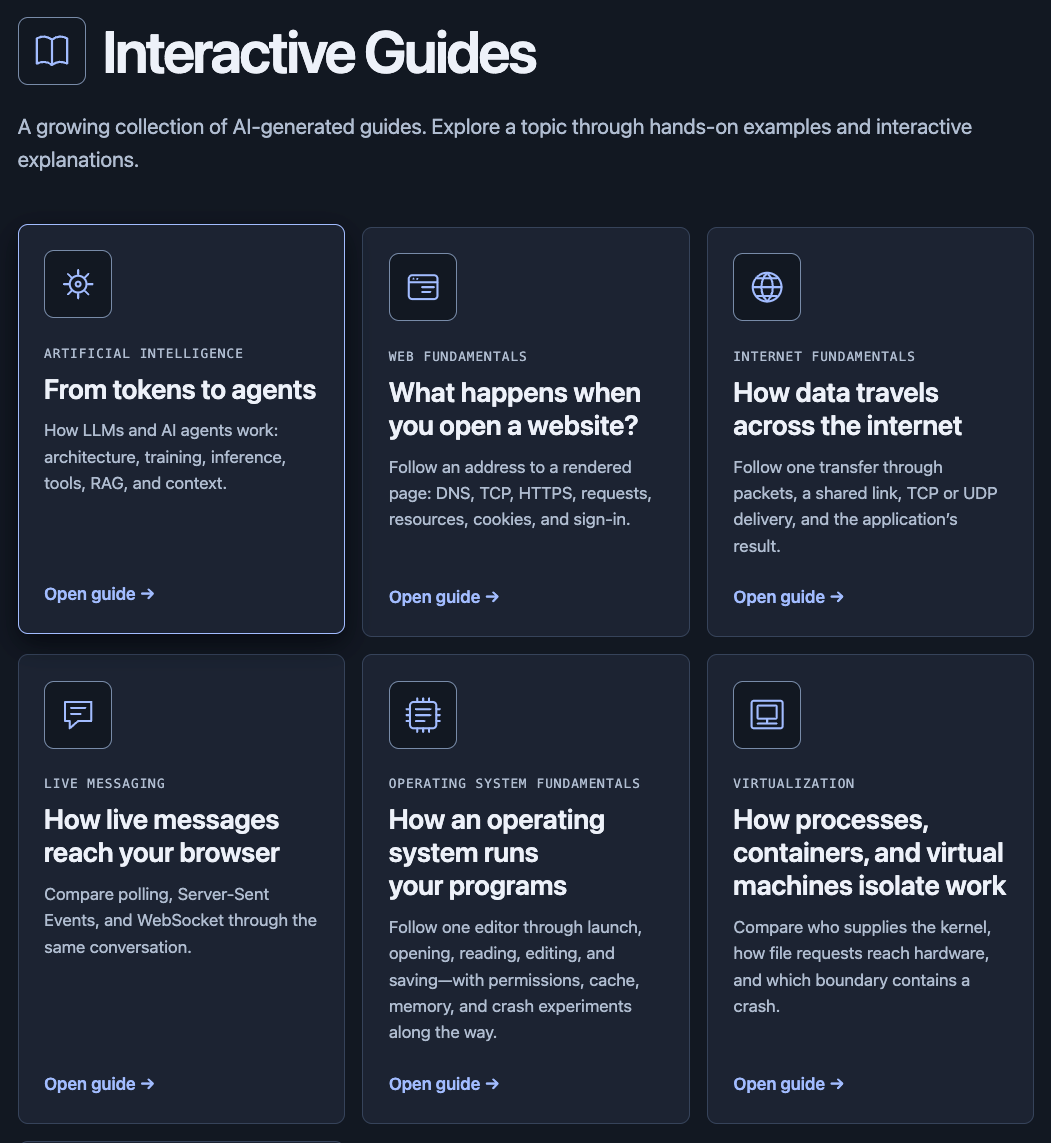
You can check them out at Interactive Guides.
From a collection of notes to an interactive experience
Many years back, I published a collection of concepts, tools, techniques and frameworks around software development. I detailed the project in Concepts around building software.
I was experimenting with Foam at the time and decided to map out a bunch of software concepts, visualizing how they are connected to one another. I had to keep updating it manually as I discovered new concepts, which became quite a tedious process. That's one of the reasons I haven't worked on it for a while.
I could imagine using AI to continuously scan for new topics and expand the web of concepts. Now, instead of maintaining a knowledge base, I can start with a prompt and a topic I'm curious about and have AI put together a visual, interactive learning experience.
How I build these guides
The process of building these guides is quite straightforward. You can start with an existing article or ask AI to research a topic you're interested in.
Then with the visual-explainer skill, you can instruct your favorite AI agent to build you an interactive learning experience. It contains a bunch of instructions to guide your AI to generate diagrams, visual plans, slides and even videos. You can give it an existing guide as a reference or let it go wild and see what it comes up with. I made mine with GPT-6 Astra and GPT-6.1 Sol.
Here's an example of the prompt I used to generate the LLM and AI agents guide.
Design an interactive guide on how LLM works. Cover things like heads, layers, MoE, Transformer, FFN etc. Show how training and inference works. Keep it concise
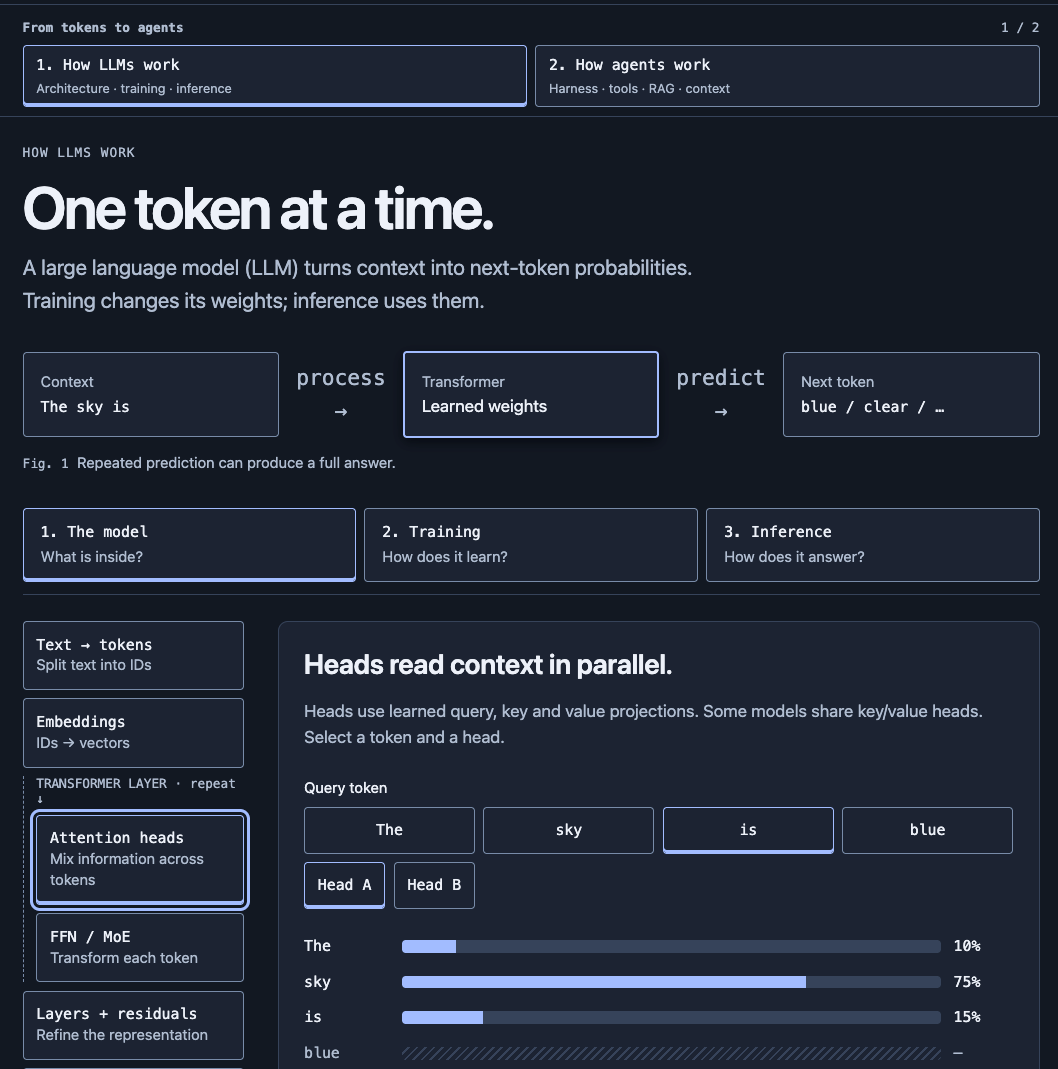
Later, I asked it to extend the guide to cover agents, harnesses, tool calls, skills and MCP. I also asked it to improve the LLM section by explaining the relationships between model parameters, heads, layers and quantization.
This was the direction I chose to take it, but I could have asked AI to improve it in other ways. That's part of the fun. You can start with a simple prompt, see what AI comes up with and keep refining the experience based on what you want to learn.
It doesn't have to be about software
You may think this works mainly because I'm focusing on software topics and technical documentation. But that's really just a reflection of my own interest and what I've chosen to ask AI to build.
A friend of mine, Alexander Ting, took a different approach. He built interactive games to help his daughter learn about food preservation for her Science subject at school. He also created a history investigation game where players are presented with true-or-false claims as evidence and have to figure out what's true to learn about history.
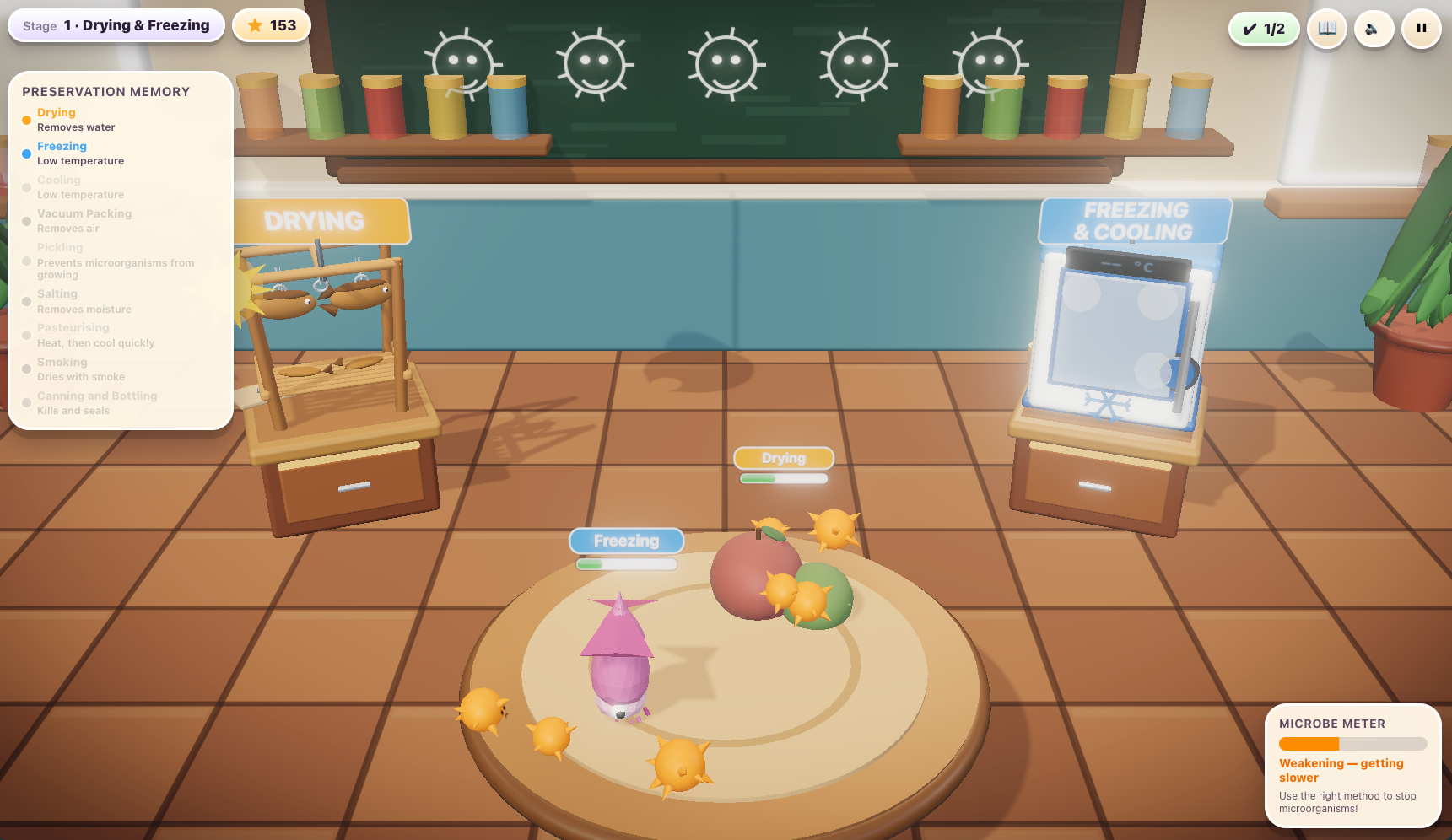
He used both the $20/month Codex and Claude plans to build these games. The preservation game took about a week, while the history game took 3 days.
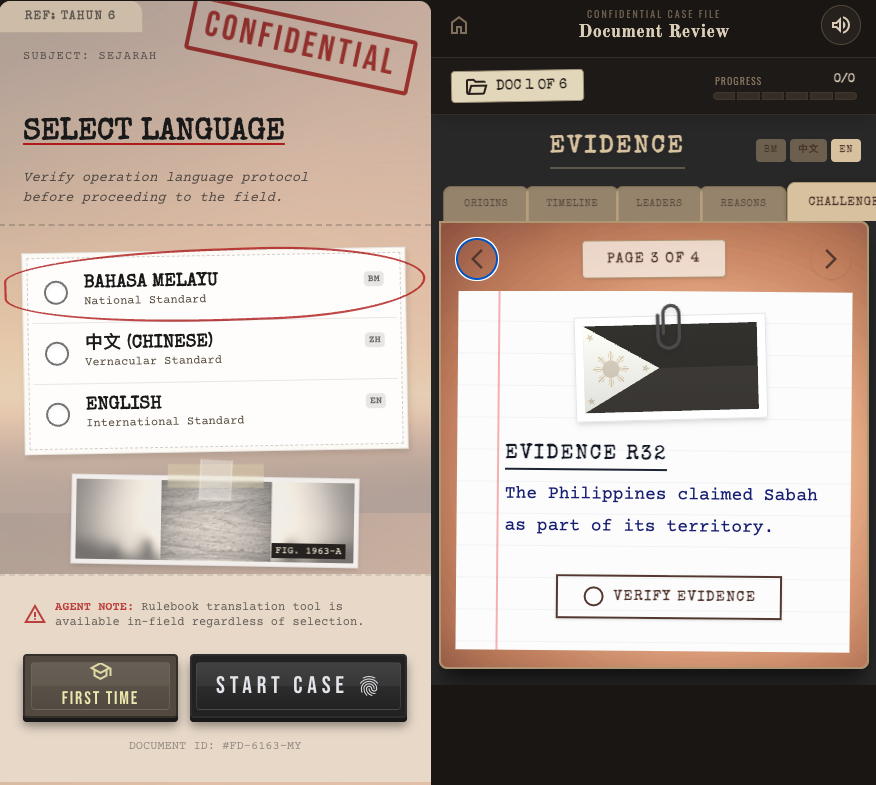
Considering how comprehensive and complex these games are, I find it quite impressive and inspiring. What would otherwise take considerable effort to design and develop can now be built with AI and tailored to a specific topic and learner.
Another friend of mine, Ian Goh, used AI to build FourType, a side project to help people understand their temperament through an interactive quiz. Having spent a lot of time on MBTI quizzes, he decided to explore a different approach to assessing personalities, partly to better understand his own behavior and that of others.
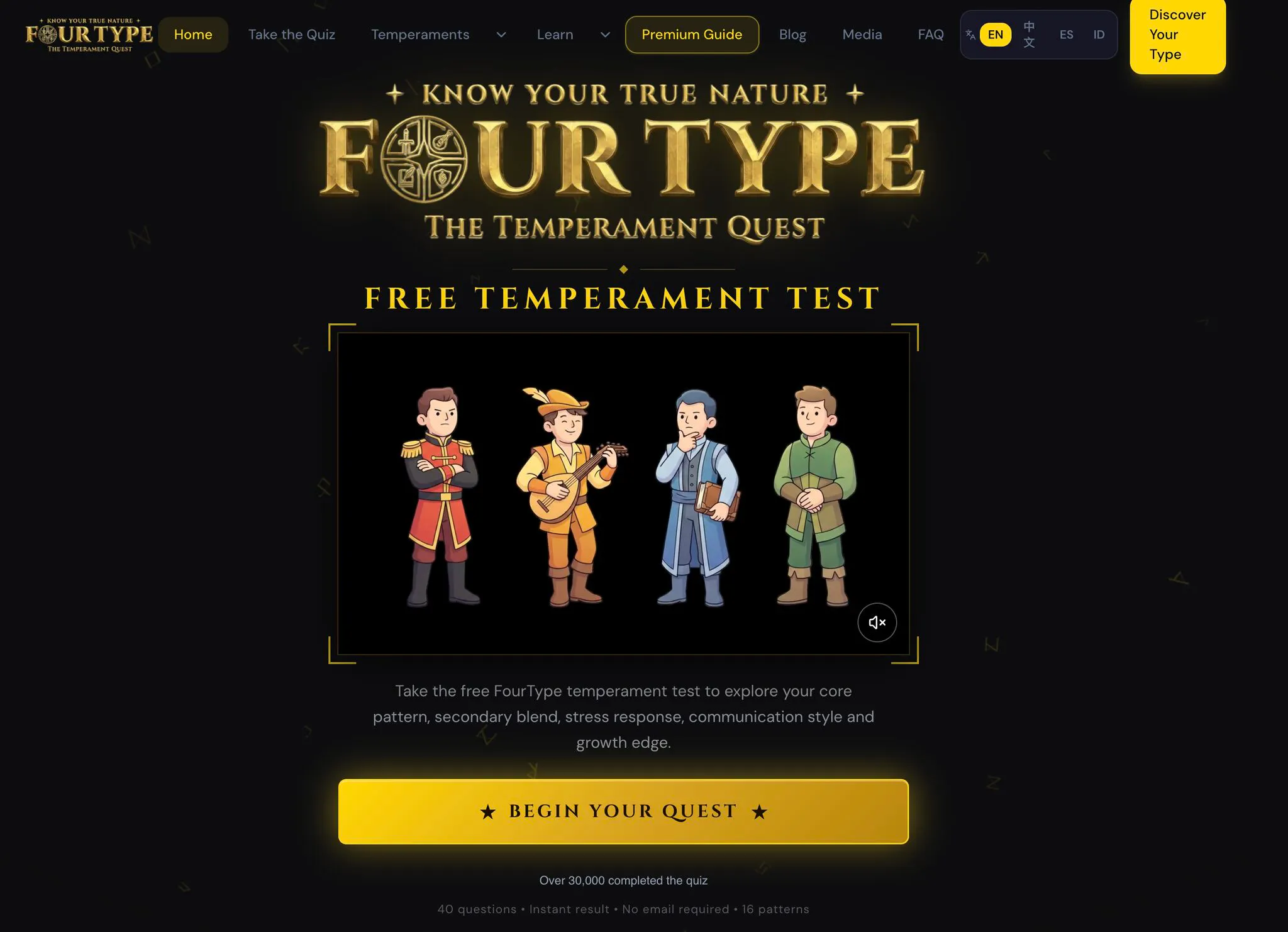
What I find interesting is how these projects go beyond simply presenting information. Whether it's learning a school subject through a game or exploring personality through an interactive quiz, AI makes it easier to turn content into experiences that people can engage with directly. Ian's project also attracted over 10,000 visitors in 30 days without spending on ads, showing that these experiments can grow into something people find valuable.
Give it a try and start learning something
I hope these examples inspire you to build your own learning experiences with AI. Start small. Pick an article you've been meaning to understand, give the link to your favorite AI agent and ask it to turn the content into a visual, interactive guide. Experiment with different prompts and refine the result to your liking.
Your first attempt doesn't have to be perfect and you don't have to spend a lot of time or money to create something useful. The free tiers of some AI tools are already powerful enough to create simple guides like the ones I've shared above.
All you need is a topic you're curious about, a little time and some tokens to burn. You'll be surprised by what you learn when you turn your curiosity into something you can explore and interact with.


Comments