
Using Nexus over the past few months, it has reached a point where I genuinely struggle to work without it.
At first, AI was a productivity boost. Now it feels more like part of my operating system. Maybe that sounds lazy. But the reality is that I’ve started relying on AI not just to work faster, but to work at the level I’ve become accustomed to.
Recently, I discovered Pi, an extendable agent harness, and decided to give it a try. It’s much more barebones compared to tools like Claude Code or Codex, but that’s also what makes it interesting. Instead of shipping with every feature built in, Pi is designed to be customized through extensions.
What’s particularly fascinating is that you can ask Pi to write those extensions for you. Which is exactly what I did to improve my workflow in Nexus.
Your own extendable AI
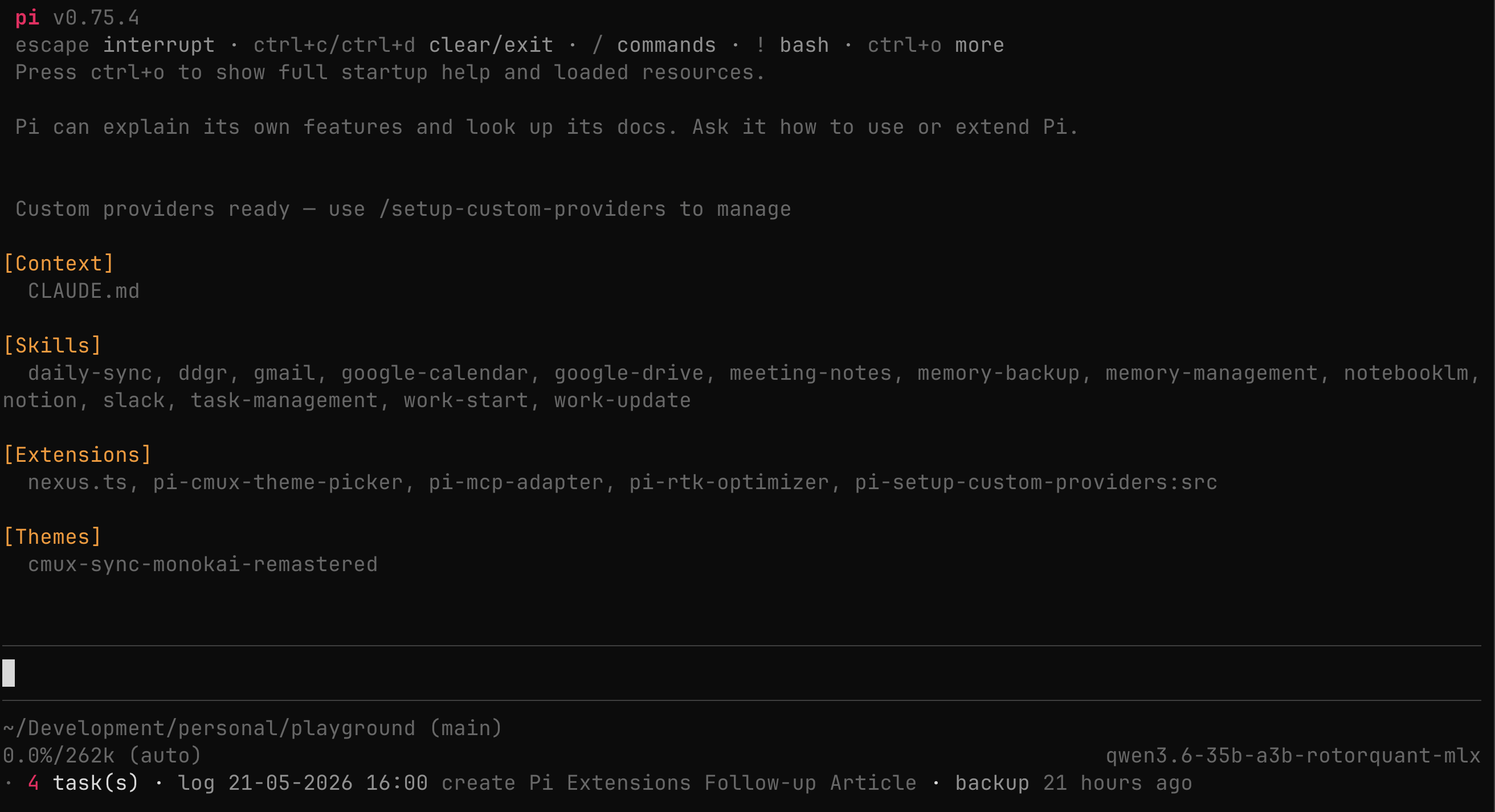
Pi is a coding agent similar to tools like Claude Code, Codex, or OpenCode, but what sets it apart is its ability to customize and extend itself.
You can effectively use Pi to improve Pi.
When you boot it up, it shows everything currently loaded into the harness: context files like AGENTS.md or CLAUDE.md, installed skills, and active extensions. It’s also designed to explain its own capabilities, which means you can simply ask it how to extend itself further.
Instead of adapting your workflow to the tool, you start adapting the tool to your workflow.
Memory Browser
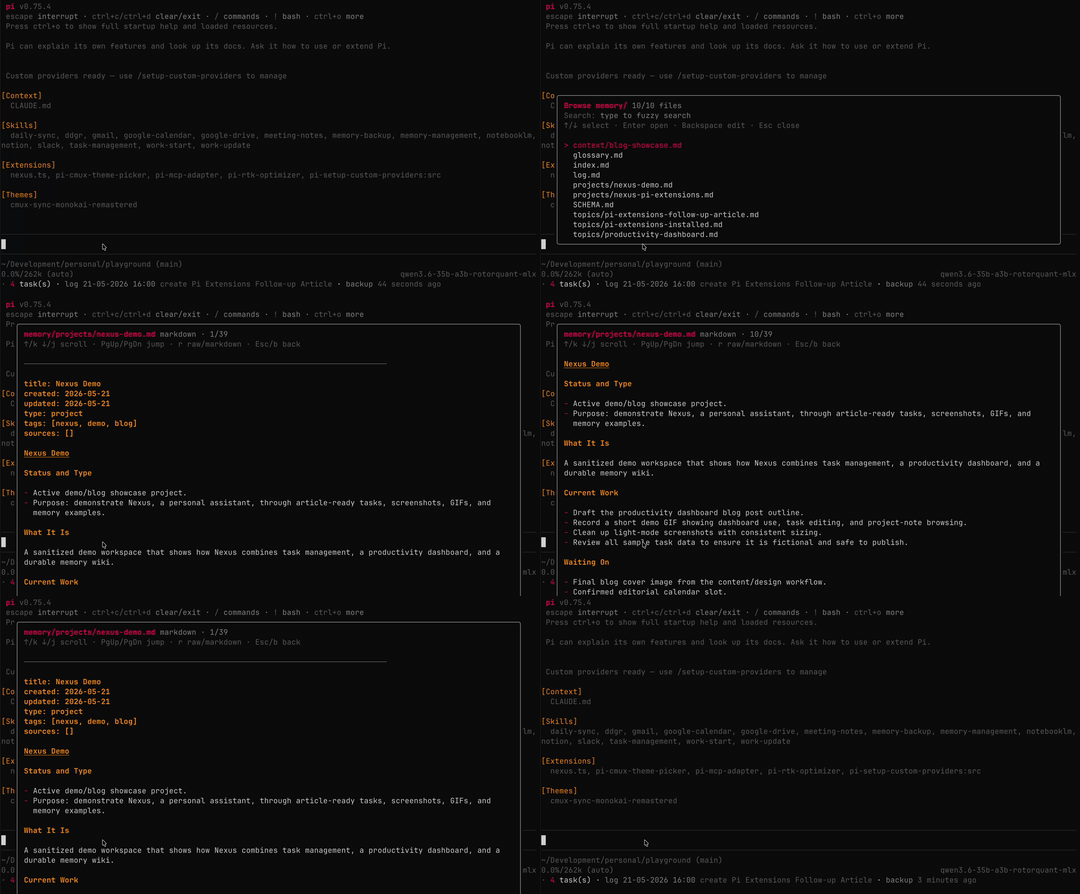
The main use case for Nexus is storing memory files in markdown format for future reference. So the first thing I asked Pi to build was a memory browser that lets me quickly search and view memory files within the current project.
Pi already knows how to build interfaces like these and even suggested keyboard shortcuts for navigating and scrolling through markdown files. There’s also a toggle to switch between rendered view and raw markdown.
What’s interesting is how natural the process felt. Instead of hunting for plugins or writing everything manually, I simply described the workflow I wanted and Pi scaffolded the interface for me.
Tasks Manager
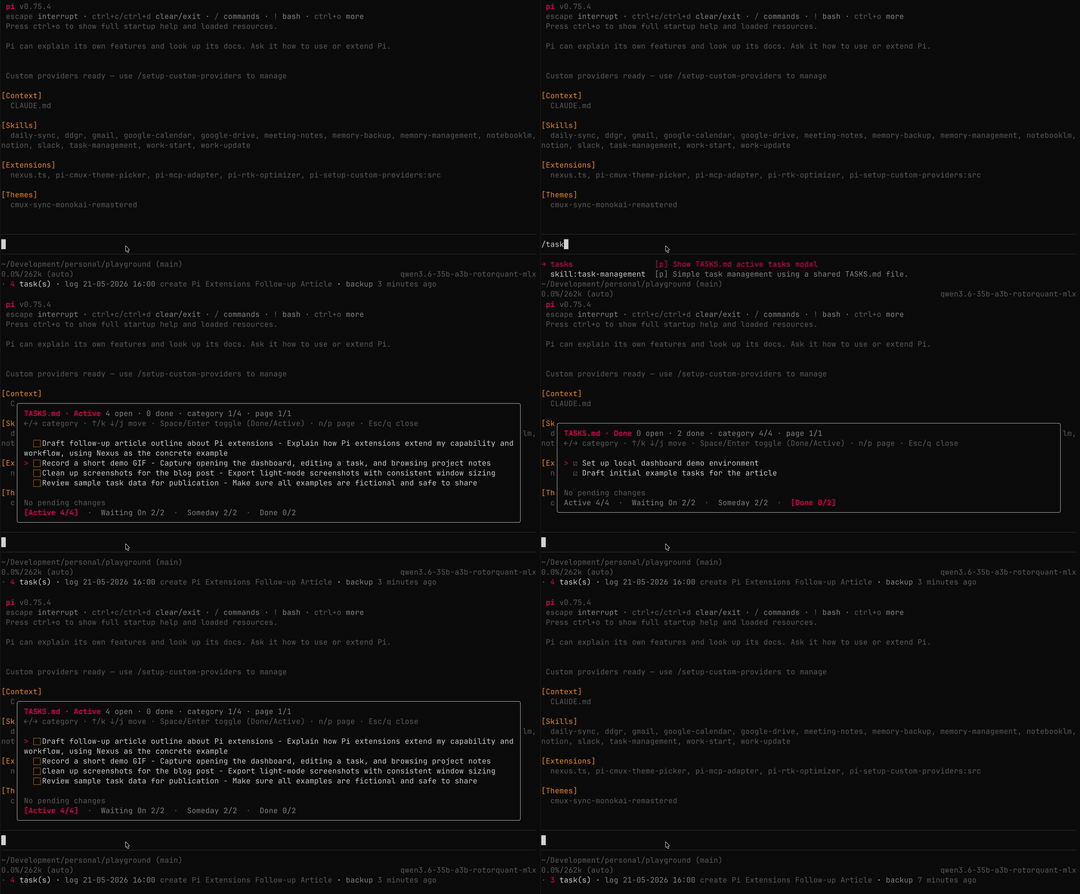
Next, I got Pi to build a task manager to replace the HTML dashboard from Claude CoWork’s Productivity plugin so I could quickly view and manage tasks directly inside the terminal.
It separates tasks into sections like Active, Waiting On, Someday, and Done, each accessible through tabs navigated with the left and right arrow keys.
When I toggle a task, the interface tracks pending changes and saves them automatically when I exit the task manager. Completed tasks are moved into the Done section automatically, while also triggering the memory-backup skill to commit the changes.
Individually, these sound like small quality-of-life improvements. But together, they significantly reduce friction and context switching throughout my day.
Calendar
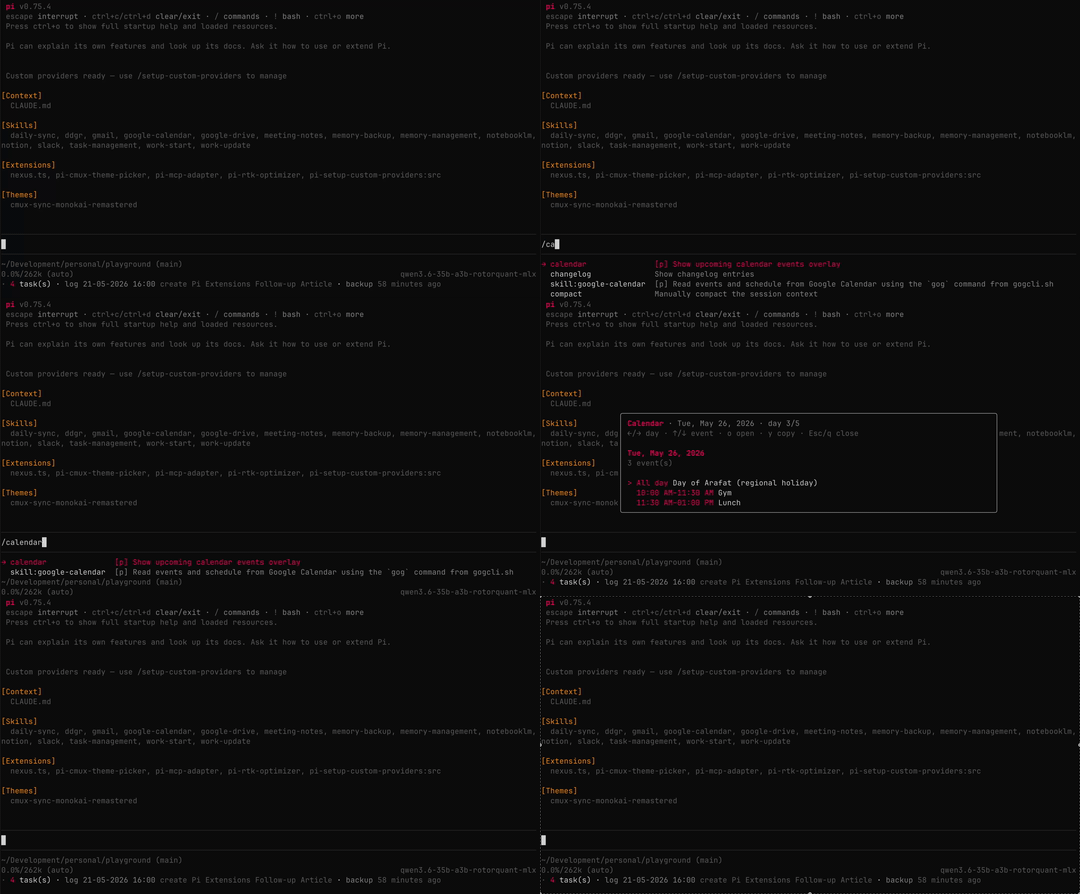
Since I already connected Nexus to my Google Calendar, I asked Pi to build a simple calendar viewer as well.
It pulls events directly from my calendar and displays them day by day. If a meeting contains a join link, it shows that too, along with a shortcut to quickly copy it to the clipboard.
Again, this wasn’t about building a perfect calendar application. It was about extending my existing workflow in small but meaningful ways.
Log Viewer
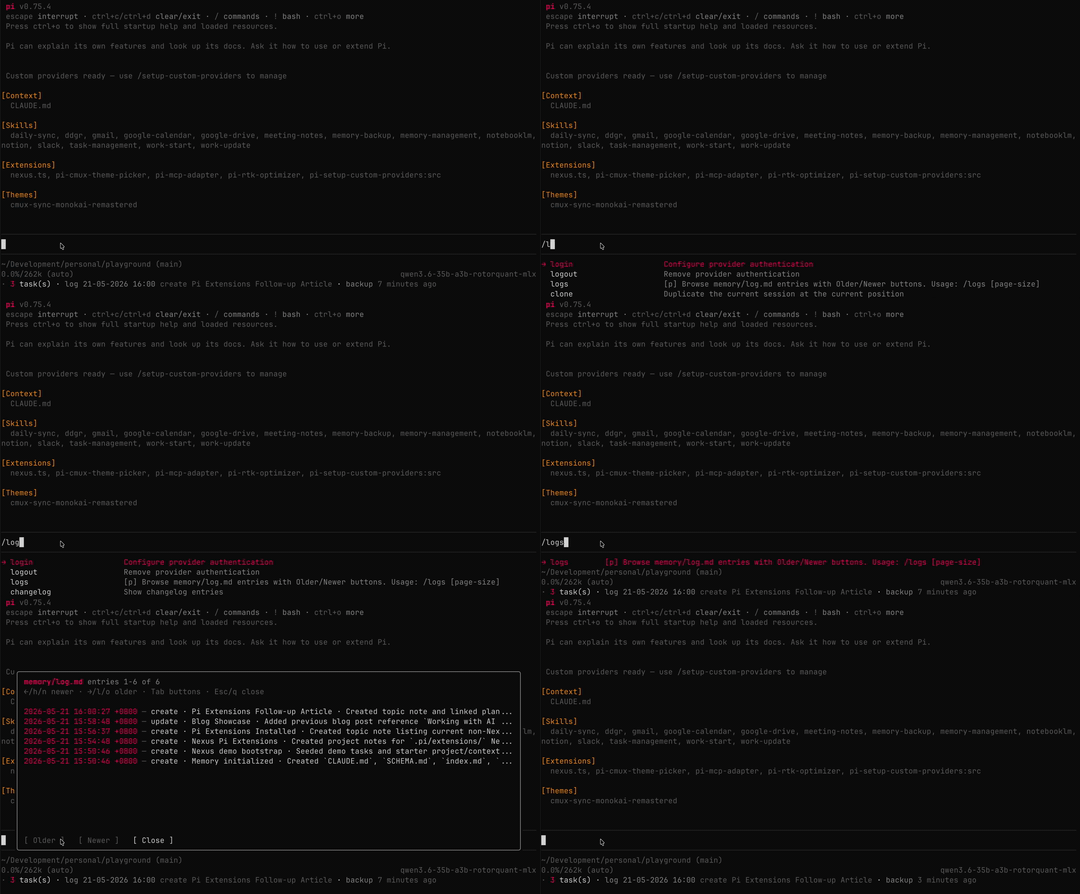
I also got Pi to build a simple log viewer so I could quickly see changes made to my memory files over time.
It includes pagination and keeps things intentionally minimal, but that’s the point. Most of these extensions aren’t trying to become full applications. They’re small, focused tools designed to remove friction from specific parts of my workflow.
Status Indicators

Pi also allows you to customize its footer, so I asked it to display useful project information at a glance: the number of active tasks, the latest log entry, and the last time a backup was run.
It’s a tiny extension, but one that constantly keeps me aware of the current state of the project without needing to check separate dashboards or commands.
Other Extensions
Since Pi is intentionally barebones, much of its functionality comes from extensions built by the community. Here are a few others that I’ve been using:
pi-cmux-theme-picker- Live cmux terminal theme pickerpi-mcp-adapter- MCP (Model Context Protocol) adapter extensionpi-rtk-optimizer- RTK command rewriting and tool output compaction extensionpi-setup-custom-providers- Interactive wizard to manage custom LLM providers and models
You can find more extensions in the Pi Package Catalogue.
What makes this ecosystem interesting isn’t just the extensions themselves, but how quickly new capabilities can be added. Instead of waiting for official features or software updates, the workflow becomes something you can continuously shape and evolve alongside the AI itself.
The Extension Mindset
AI brings a real shift in how you think about software. It’s no longer just a tool you use, but something you can extend and mould to your exact needs.
The interesting part is you don’t even have to build everything yourself anymore. You can rely on AI to adapt and extend itself.
You can check out the extensions I’ve built in Nexus, but the real value isn’t in copying them. It’s in building your own and extending yourself through it.


Comments